Header
The user interface or the start page can be divided into various sub-items. Each of these sub-items contains different functions and options. Due to the complexity of some areas, these are dealt with in separate chapters.
Global search
Using the global search, the required information can be found in the areas of companies, classifications, resubmissions, complaints and profiles in the respective selected client. By selecting and clicking on the search result you require, you will be taken directly to the detailed view.

Dashboard
The dashboard provides statistical information and shows the status of the verified data in the respective federal state.
The listed aspects under the sub-item statistics can also be used as a quick start. The filters are set so that only entries are displayed that are relevant and activated for the logged in user.
Advanced Search
Using the advanced search, all of the companies stored in the system can be filtered according to specific criteria or hints The results can be displayed either via an Excel list or directly in the system.

Various search factors can be entered into the search mask, e.g. catalog versions, parts of company names, street, zip code, status of the classification, etc.
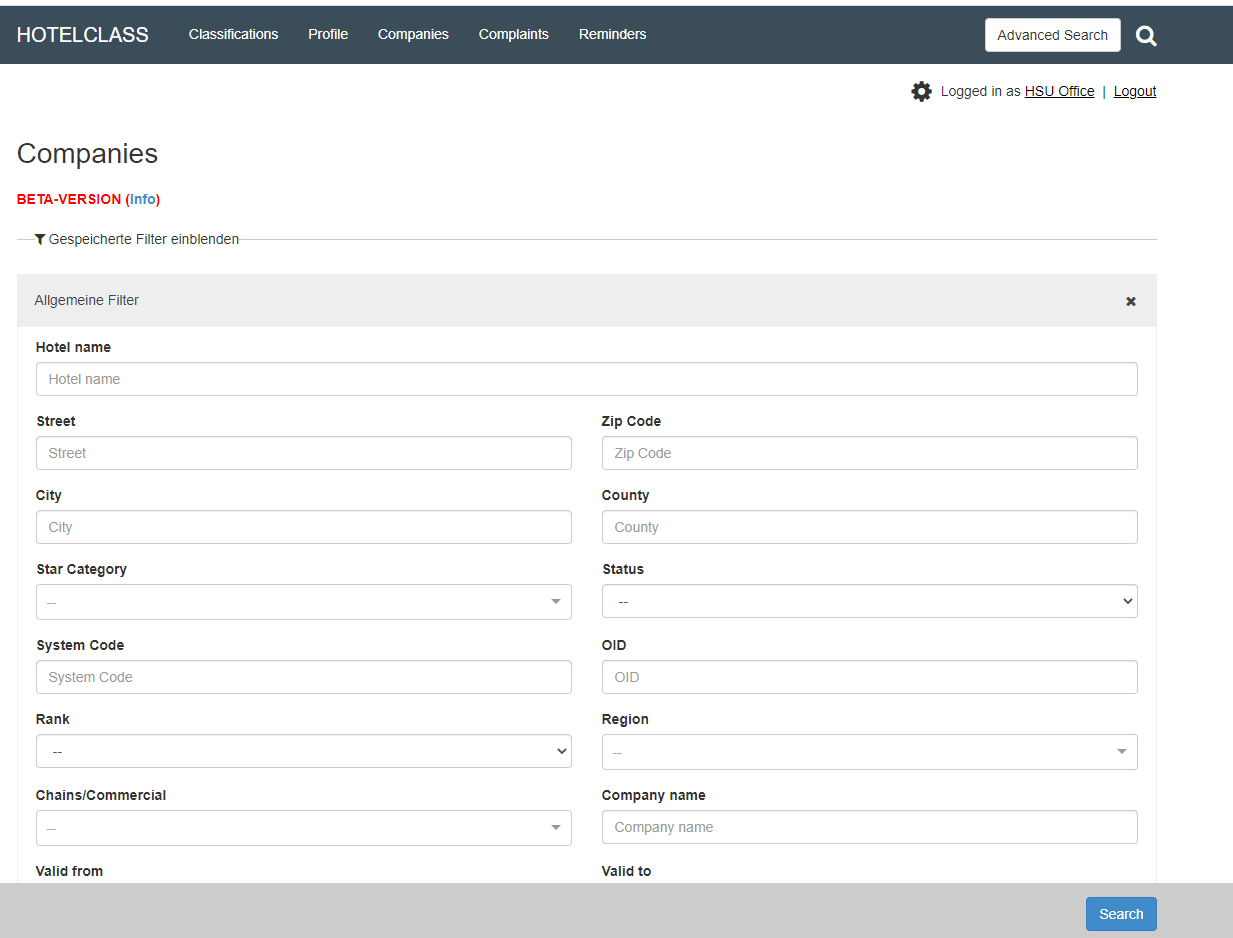
In addition to the "normal search display", there is also the search using the Excel function or export. For the
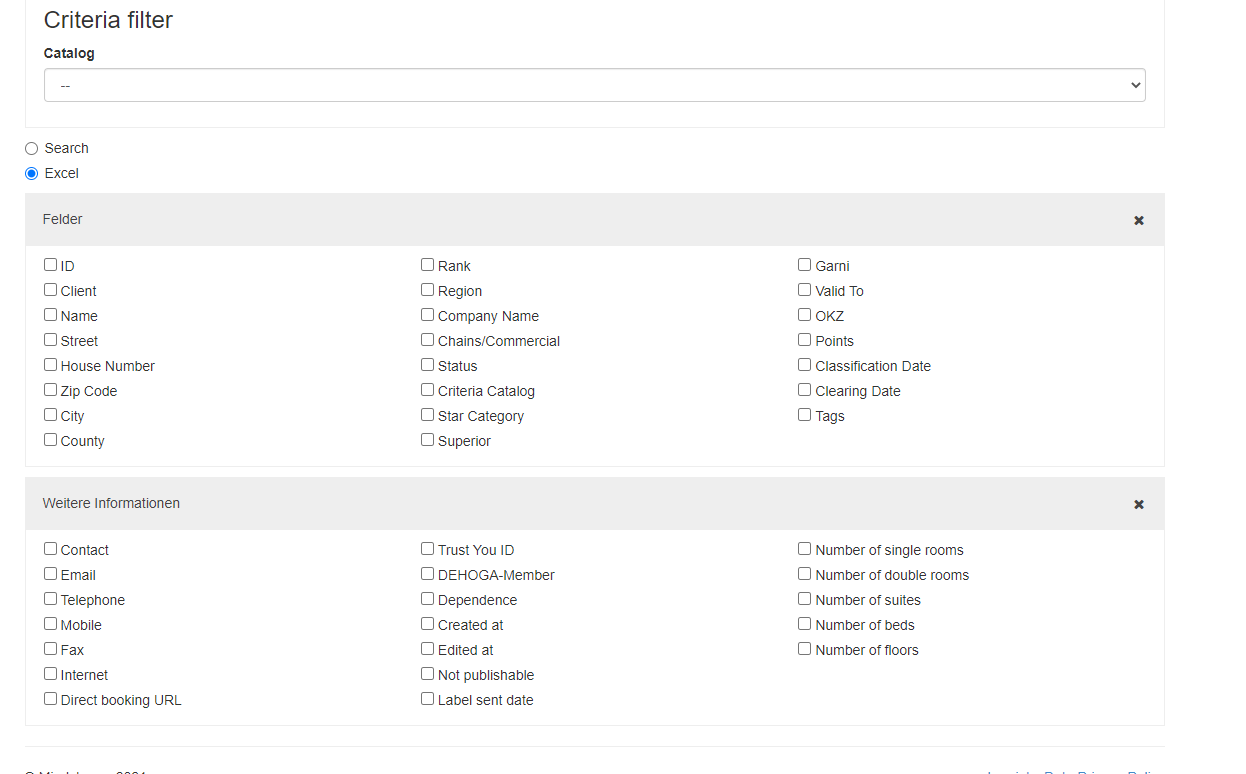
Excel search gives you more search criteria. The search can be refined very much using the various search criteria, and an Excel export can also be carried out afterwards.
Again, all data is in an Excel sheet, provided they are stored in the database. In addition, there is the option of narrowing down the search using certain “criteria”. To do this, select the desired catalog version and define the characteristics.
Complaints
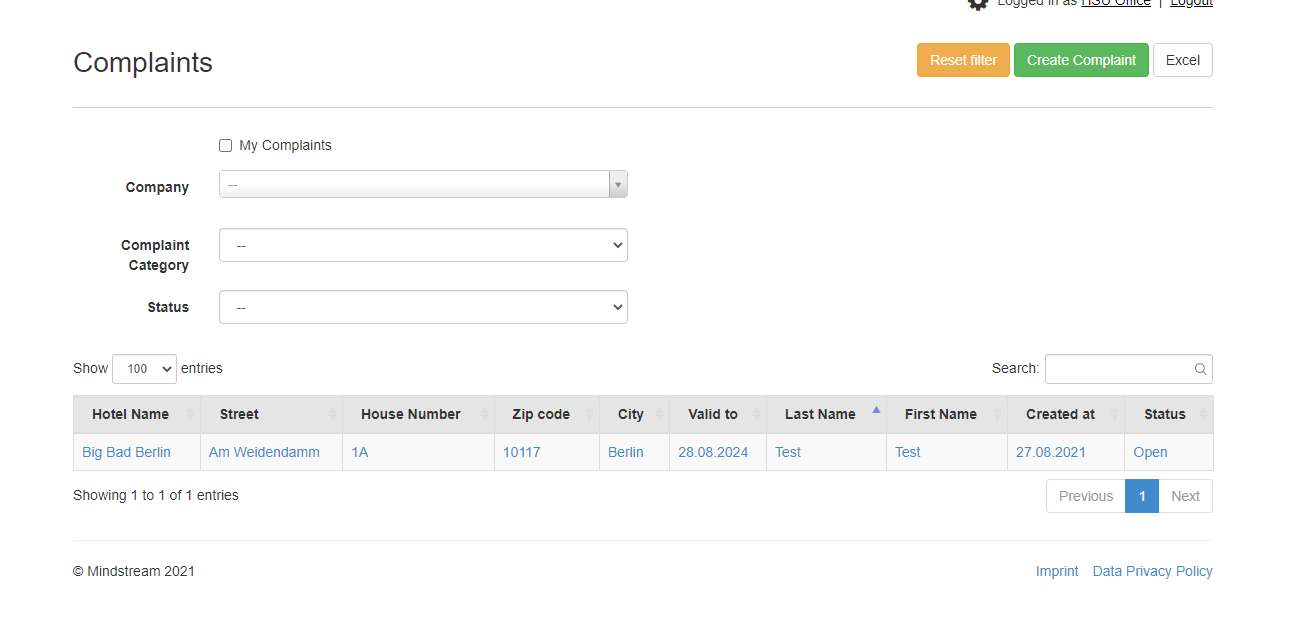
The list view shows all complaints. The following restrictions can be made using the filters:
- Text search : Filter by title and description of a complaint
- My companies : Companies in which you are registered as a commission member appear
- Complaint category : filter according to the category specified in the complaint
- Status : A distinction can be made between open, in progress and closed
- Excel : the companies can be exported in a list via the output
By clicking on the hotel name you get to the complaint detail view.
New complaints can be created via "Create complaint".
Reminders
This tool is important to manage a larger number of classifications or complaints, especially if the companies still have to submit documents and evidence.
These appointments can be recorded and maintained within the system.