
Classification detail view
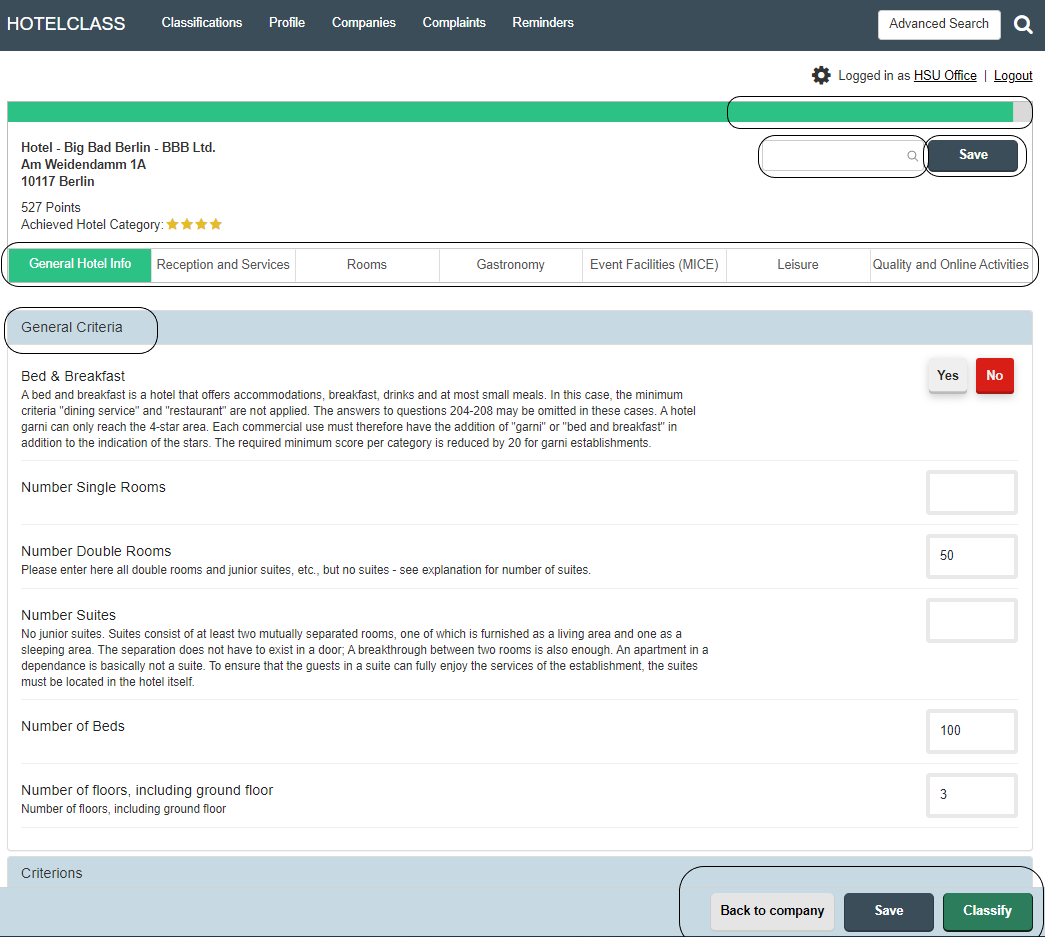
A classification view is divided into the following areas:
- Header area: Representation of the status of the degree of completion and points reached, possible feature search, saving
- General property features: All general information such as the number of rooms and suites can be entered in this area
- Categories: The categories reflect the main groups of the criteria catalog and can be selected with one click
- Action bar: possibility of saving, submitting the classification and also the possibility of going back to the company
- Conclusion: At the end of the classification, the total point achieved and the star category achieved are displayed. Minimum criteria not achieved in the individual star categories are marked with a red exclamation mark.
The number of points, minimum criteria not met and the star category achieved is calculated and displayed live when you fill out the form.
No Comments