
Create complaints
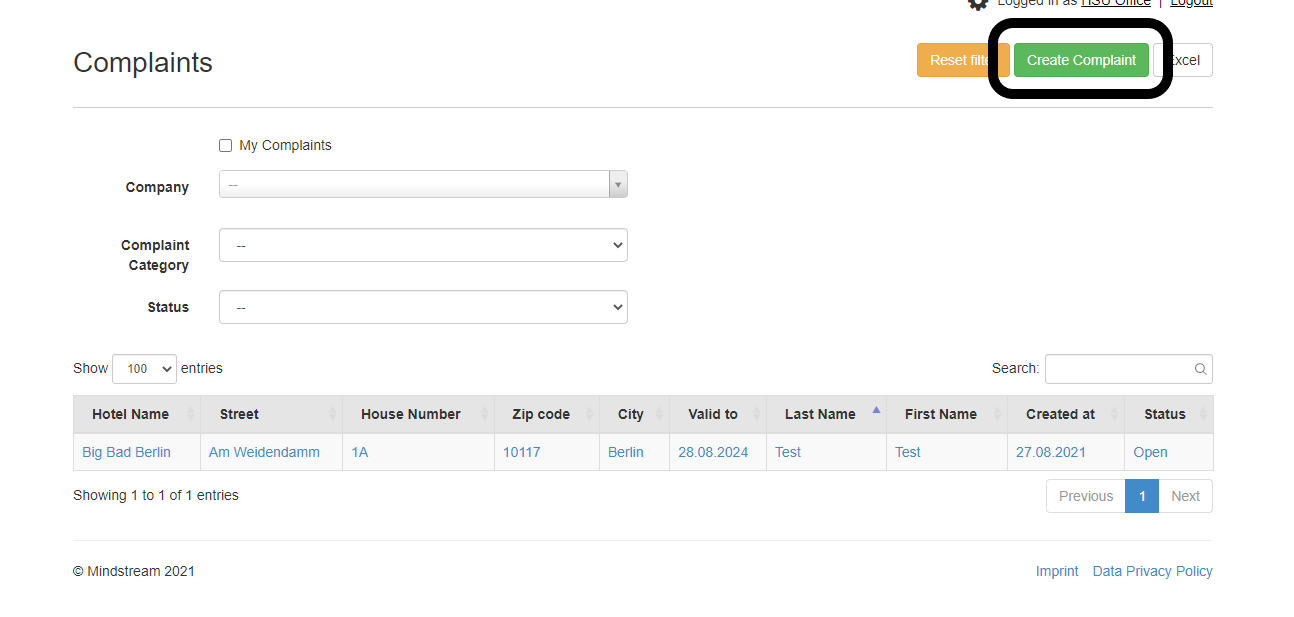
At the company level, new complaints can be created as required. To do this, go to the "Complaints" tab and then click on the "Create complaint" field (see image above).

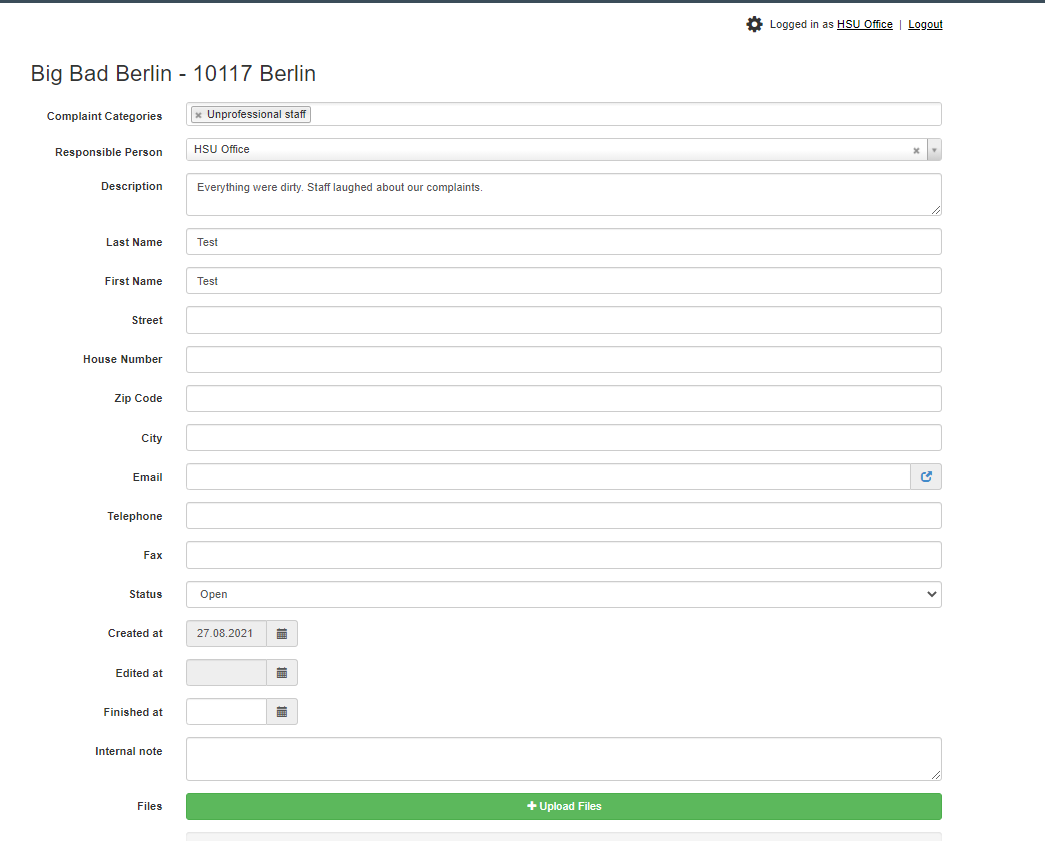
A new page opens, all important data must be entered on the page. This primarily includes the assignment to the relevant federal state via the "Client" field. Then create all the data on the complainant and the content of the complaint. Photos or other documents can be uploaded from the "Files" section. When creating a new complaint, it must first be saved before the function can be used.
No Comments