
Create classification
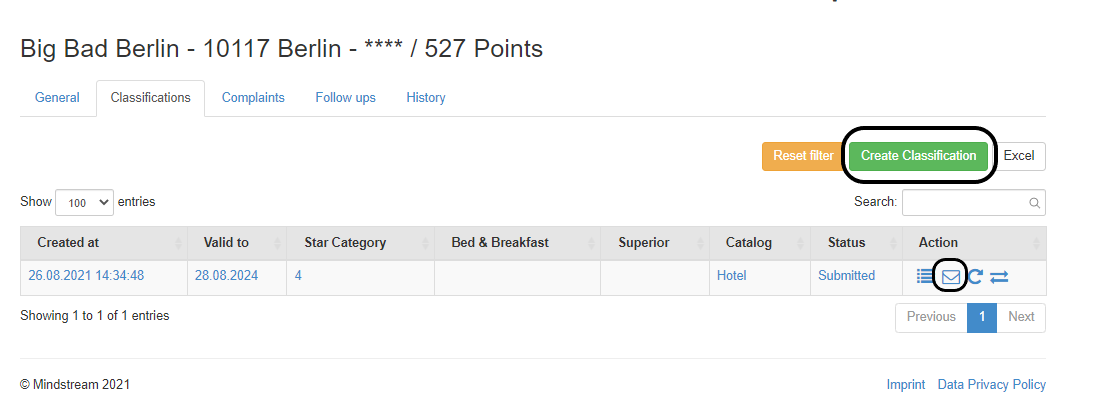
A new classification can only be made by entering a company. To do this, open the detailed view of a company and click on the Classification tab. There you will find the "Create classification" function (see picture above).
By executing this function, a new classification is created, the characteristics from the previous classification are automatically adopted and the classification view is opened.
All unselected criteria are automatically set to no when the data entry sheet is saved.
The classification can be sent to the hotel after it has been created and as long as it is in the "New" status. The mail template or the one-time link is created using the list view of the classification tab (see image below). The one-time link can be used until the classification is submitted. This means that the company does not have to fill out the classification in one go, but can also pause it.
No Comments